
|

|

|
Trending
- ARGUS Z3 by VOOPOO Launches With an Innovative Multi-Ohm Cartridge
- How Orlistat Works to Support Your Weight Loss Journey
- Honor Magic9 Pro Max Launches With ARRI Camera System and Dual 200MP Cameras
- Honor MagicPad 4 Launches With 12.1-Inch 165Hz Display and Snapdragon 8-Series Chip
- Best Foldable RC Drones With Obstacle Avoidance: What to Look For Before Buying
- Beast SG106 PRO Review: A Foldable Dual-Camera RC Drone With 360° Obstacle Avoidance
- YHRC YH58 Review: A 1/24 4WD RC Drift Car Built for Small-Space Racing
- Android Tablet Buying Guide: How to Choose the Right Tablet in 2026?

 |
 |
 |
 |
 |
 |
Samsung Galaxy Tab A13 Plus
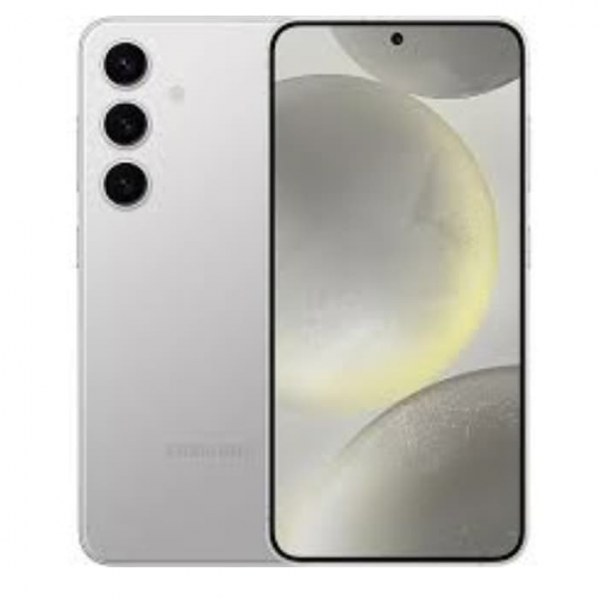
-
Processor
-
RAM
-
Storage
-
Display
-
Camera
-
Operating System
Offers
-
Samsung Galaxy Tab A13 Plus Smartphone
View Offer
Samsung Galaxy Tab A13 Plus Specifications
| BASIC INFO | |
| Brand | Samsung |
| Model | Galaxy Tab A13 Plus |
| Status | Coming soon |
| Release Date | 2026, October |
| BODY | |
| Dimensions | 212 × 125 × 7.8 mm |
| Weight | 500 g |
| Colors | Graphite, Silver, Navy, Gold |
| Body Material | Glass front, plastic back & frame |
| SIMs | Nano-SIM |
| Water & Dust | No |
| DISPLAY | |
| Size | 10.1 inches |
| Type | IPS LCD, 144Hz, HDR10 support |
| Resolutions | 1200 × 2000 pixels, 5:3 ratio |
| PPI | 224 ppi |
| Multi-touch | Yes |
| Protection | Gorilla Glass 5 |
| NETWORKS | |
| 2G | GSM 850 / 900 / 1800 / 1900 |
| 3G | HSDPA 850 / 900 / 1700(AWS) / 1900 / 2100 |
| 4G | LTE |
| 5G | No |
| Speed | HSPA, LTE |
| GPRS | Yes |
| EDGE | Yes |
| CAMERA | |
| Rear Single | 20MP, AF |
| Features | HDR, panorama |
| Videos | 1080p@30fps |
| Front Single | 12 MP, 1080p@30fps |
| HARDWARE | |
| YOU | Android 16 |
| Chipset | MediaTek Helio G99+ (enhanced GPU) |
| CPU | Octa-core (2×2.4 GHz Cortex-A76 + 6×2.1 GHz Cortex-A55) |
| GPU | Mali-G57 MC2 |
| RAM | 4GB / 8GB / 12GB |
| Storage | 64GB / 128GB / 256GB |
| Card Slot | microSDXC (dedicated slot) |
| BATTERY | |
| Type | Li-Po |
| Capacity | 6000 mAh |
| Removable | Non-Removable |
| Talk Time | N/A |
| Stand By | N/A |
| Charging | 45W wired |
| wireless charging | – |
| COMMONS | |
| Sound | Yes, with stereo speakers 3.5mm Jack Yes |
| Sensors | Accelerometer, Compass, Gyro |
| Bluetooth | Yes |
| GPS | GPS, GLONASS |
| USB | USB Type-C 2.0 |
| Wi-Fi | 802.11 a/b/g/n/ac/6, dual-band |
| NFC | No |
Specs
General
Hardware
Display
Camera
Network
OS
Other Features
Battery
Dimensions and Weight
Reviews
Sorry, you have not permission to write review for this product.
Disclaimer Note
You can write your own disclaimer from APS Settings -> General -> Disclaimer Note.

New Arrivals





ADVERTISE



