
|

|
Trending
- HPI Stage-D10 Review: A Mustang RC Drift Car Built for Skill and Customization
- HOVERAir VERSA Review: A Pocket Gimbal Camera That Can Take Flight
- DaranEner NEOZ2 Review: Is This 300W Portable Power Station Worth Buying?
- PowerAlgo Expands Global Cloud Mining Services With a Focus on Bitcoin Mining and Renewable Energy
- OneOdio Studio Max 2 Review – DJ Freedom Without the Wireless Compromise
- MAXRAY RUSH 80K Review – More Than Just a Puff Count: Meet the Disposable That Controls Its Own E-Liquid
- Vidda C5 Pro Review: A 4K Projector for Home Cinema and Gaming
- iBUYPOWER AI Halo Mini PC Debuts With Ryzen AI Max+ PRO 495

 |
 |
 |
 |
 |
 |
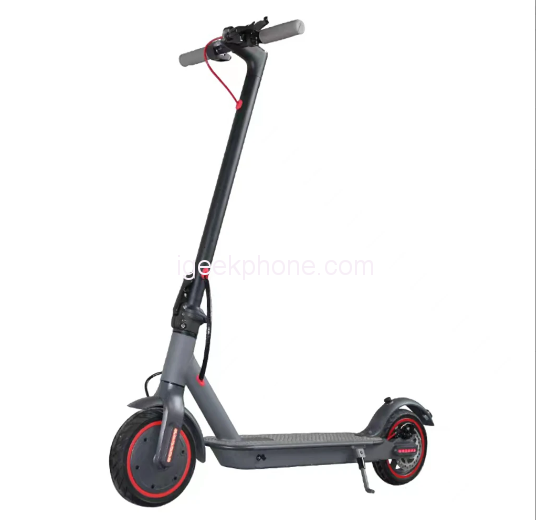
J-03 8.5inch Folding Electric Scooter
Offers
-
 J-03 8.5inch Folding Electric Scooter
$279.99
J-03 8.5inch Folding Electric Scooter
$279.99
View Offer
Highlights
Bionic Companion Robot
The Unitree GO1 series robot is a bionic companion robot, that is very simple to operate. It can simulate a real dog’s behavior according to your instructions. It can dance, carry objects, run and follow, and it holds the world record for running by a robot at 6.17 mile per hour.
APP God’s Perspective
The app in combination with the companion dog provides omni-directional and ultra wide-angle video image transmission, which can observe the surrounding and terrain of the dog, allowing for easy operation beyond your own visual range.
Intelligent Side Following System
The product utilizes a patented wireless vector positioning and control system, which enables the robot to be located in your line of sight, this is far superior to the conventional following mode. With the robot following beside you there is no need to worry about the dog getting stuck or lost. This is beneficial in a crowded environment allowing the human to easily guide the robot and create a human-machine interaction that is natural and harmonious.
Super Sensory System
The GO1 PRO is equipped with five sets of super fisheye cameras and has super AI computing power. This enables the GO1 PRO to not only recognize and track its owner but also to identify and avoid obstacles in its path.
Reviews
Sorry, you have not permission to write review for this product.
Disclaimer Note
You can write your own disclaimer from APS Settings -> General -> Disclaimer Note.
New Arrivals






ADVERTISE



