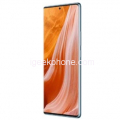
| Basic Info |
|
| Brand |
ZTE |
| Model |
Nubia Neo 6 GT |
| Status |
Coming Soon |
| Release Date |
March 2026 (Expected) |
| Body |
|
| Dimensions |
~164 × 77 × 8 mm (estimated) |
| Weight |
~215 g (estimated) |
| Build |
Glass front, aluminum frame, aluminum back |
| SIMs |
Nano-SIM + Nano-SIM |
| Water & Dust |
IP68 dust & water resistant |
| Extra Features |
Pressure-sensitive zones (600Hz touch-sensing), built-in cooling fan, RGB light on back |
| Display |
|
| Size |
6.85 inches |
| Type |
AMOLED, 1B colors, 144Hz, HDR10+ |
| Brightness |
Up to 5000 nits peak |
| Resolution |
1240 × 2760 pixels (~445 ppi) |
| Protection |
Corning Gorilla Glass 7i (expected) |
| Networks |
|
| 2G |
GSM 850 / 900 / 1800 / 1900 |
| 3G |
HSDPA 850 / 900 / 1900 / 2100 |
| 4G |
LTE |
| 5G |
SA / NSA |
| Speed |
HSPA, LTE, 5G |
| Camera |
|
| Rear Camera |
64 MP (wide, f/1.8, PDAF, OIS) |
|
50 MP (ultrawide / telephoto, AF) |
| Features |
LED flash, HDR, panorama |
| Video |
8K@30fps, 4K@30/60fps, 1080p@30/120fps |
| Front Camera |
32 MP (wide, f/2.0, PDAF) |
| Front Video |
1080p@30/60fps |
| Hardware |
|
| YOU |
Android 16, Nubia UI 6 |
| Chipset |
MediaTek Dimensity 7600+ (4 nm) |
| CPU |
Octa-core (4×2.8 GHz Cortex-A78 + 4×2.2 GHz Cortex-A55) |
| GPU |
Mali-G68 MC4 |
| RAM |
12GB / 16GB |
| Storage |
256GB / 512GB / 1TB |
| Card Slot |
No |
| Storage Type |
UFS 3.1 |
| Battery |
|
| Type |
Li-Po |
| Capacity |
6500 mAh |
| Wired Charging |
120W fast wired |
| Reverse Charging |
10W reverse wired |
| Extra |
Bypass charging supported |
| Commons |
|
| Loudspeaker |
Stereo speakers |
| 3.5mm Jack |
No |
| Sensors |
Under-display fingerprint, accelerometer, gyro, compass, proximity |
| Bluetooth |
5.4, A2DP, LE |
| WLAN |
Wi-Fi 802.11 a/b/g/n/ac/6/6E, dual-band |
| NFC |
Yes (region-dependent) |
| USB |
USB Type-C 3.1, OTG |
| GPS |
GPS, GLONASS, GALILEO, BDS |
| Colors |
Yellow, Gray, White, Black |