
|

|
Trending
- How to Manage the UK Vape Tax in 2026: Practical Ways to Control Your Costs
- GEEK BAR PULSE 2 25K Halloween Edition: New Flavors and Features Explained
- Ireland Increases Cigarette Taxes as Vape Liquid Duty Set to Rise 40% in 2027
- Xiaomi Smart Door Lock 5C Cat Eye Edition Debuts With 160° Camera and 3.5-Inch Indoor Screen
- Social Gaming and Social Casinos: Understanding the Player Dynamics
- Honor WIN 2 Phones and WIN Gaming Tablet Tipped for October Launch
- 6 tips to find someone’s email with a phone number
- iBUYPOWER Pro AMD AI Halo Mini PC Launches With Ryzen AI Max+ PRO 495 and 10GbE

 |
 |
 |
 |
 |
 |
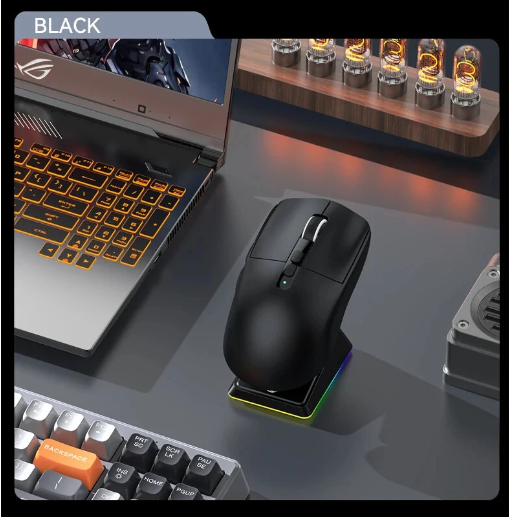
Rapoo VT950PRO Wireless RBG Gaming Mouse
Offers
-
 Rapoo VT950PRO Wireless RBG Gaming Mouse
$69.99
Rapoo VT950PRO Wireless RBG Gaming Mouse
$69.99
View Offer
Description:
| Brand | Rapoo |
| Model | VT950PRO |
| Product Name | RGB Wireless Gaming Mouse |
| Product Positioning | High Level |
| Sensor | Optical |
| DPI | 50-26000 |
| IPS | 650 inch/s |
| Charging Port | USB-C |
| Acceleration | 50G |
| Button lifes(left&right) | 50 million times |
| Response Rate | 125/250/500/1000Hz |
| Work Method | USB and 2.4 GHz wireless modes |
| Buttons | left button, middle button, right button, DPI +button, DPI -button, forward button, back button, Customized button*2 |
| Power Supply Mode | Lithium battery(800mAh)/Full Battery life 40-160 hours |
| Product Dimension | 129.3mm*74mm*40mm |
| DPI switching Button | Adjust 7 DPI from 50 to 26000, Also +/- DPI recurrently with an interval of 50 DPI |
| Programmable Keys | 11pcs |
| Lighting System | About 16.8 million RGB colors |
| Wireless Charging | Supports wireless charging of Q protocol devices |
| Cable Length | 1.8m paracord material power data cable |
Reviews
Sorry, you have not permission to write review for this product.
Disclaimer Note
You can write your own disclaimer from APS Settings -> General -> Disclaimer Note.
New Arrivals





ADVERTISE



