
|

|
Trending
- OneOdio Studio Max 2 Review – DJ Freedom Without the Wireless Compromise
- MAXRAY RUSH 80K Review – More Than Just a Puff Count: Meet the Disposable That Controls Its Own E-Liquid
- Vidda C5 Pro Review: A 4K Projector for Home Cinema and Gaming
- iBUYPOWER AI Halo Mini PC Debuts With Ryzen AI Max+ PRO 495
- Honor WIN 2 Gaming Phones and Tablet Expected to Debut in October
- UK Cryptocurrency Adoption Grows as More Britons Invest in Digital Assets
- Redmi Phone Storage Full? How to Safely Remove Junk Files
- C48Pro Smartwatch: What Can You Do on a 2.01-Inch Screen?

 |
 |
 |
 |
 |
 |
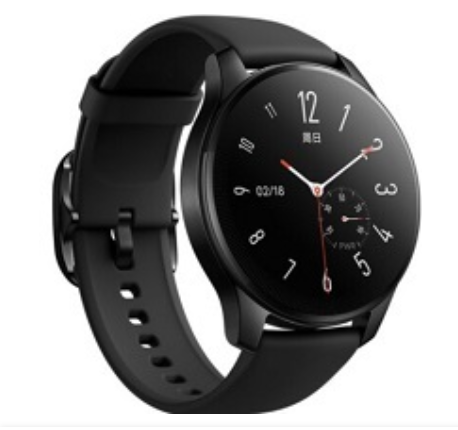
Vivo Watch 3 Smartwatch
Offers
-
 Vivo Watch 3 Smartwatch
View Offer
Vivo Watch 3 Specifications
| BASIC INFO | |
| Brand | Vivo |
| Model | Watch 3 |
| Status | Available |
| Release date | 2023, 7 November |
| BODY | |
| Dimensions | 46.4 x 46.4 x 11 mm |
| Weight | 47 g (1.66 oz) |
| Colors | Black, Brown, Silver |
| Body Material | Glass front, stainless steel frame 316L |
| SIMs | e.g |
| Water/Dust | 5ATM water resistant 50m water resistant |
| DISPLAY | |
| Size | 1.43 inches |
| Type | AMOLED, 500 nits (typ) |
| Resolutions | 466 x 466 pixels |
| PPI | 326 ppi density |
| Multi touch | Yes |
| Protection | – |
| NETWORKS | |
| 2G | N/A |
| 3G | HSDPA 850 / 900 / 2100 |
| 4G | 1, 3, 5, 8, 34, 38, 39, 40, 41 |
| 5G | No |
| Speed | HSPA 42.2/5.76 Mbps, LTE |
| CAMERA | |
| Rear | No |
| Front | No |
| HARDWARE | |
| YOU | Proprietary OS |
| Chipset | No |
| CPU | No |
| RAM | 32MB |
| Internal | 2GB |
| Card Slot | No |
| BATTERY | |
| Type | Li-Ion |
| Capacity | 478 mAh |
| Removable | Non-Removable |
| Fast Charging | Wireless charging 10W |
| Wireless Charging | Yes |
| COMMONS | |
| Sound | Loudspeaker Yes 3.5mm Jack No |
| Sensors | Accelerometer, gyro, heart rate, barometer, compass, altimeter, SpO2 |
| Bluetooth | 5.2, A2DP, LE |
| GPS | Yes, with GLONASS, GALILEO, BDS |
| USB | No |
| Wi Fi | No |
Reviews
Sorry, you have not permission to write review for this product.
Disclaimer Note
You can write your own disclaimer from APS Settings -> General -> Disclaimer Note.
More Products from VIVO


New Arrivals






ADVERTISE



